Your site is almost ready. The homepage looks sharp, checkout works, your intake form finally behaves, and you're thinking about domain redirects, launch emails, and whether the footer should say “All rights reserved.”
Then someone asks, “Do we have terms?”
A lot of South Florida founders pause right there. They either copy a generic website terms and conditions template, paste one from a generator without reading it, or launch with nothing at all. That usually feels harmless at the start. It isn't. Your terms are where you set the rules for using your site, protect your content, limit avoidable claims, and give yourself a practical way to suspend abusive users, cancel problematic orders, and resolve disputes on your terms instead of someone else's.
This matters even more if you're building in Miami, Fort Lauderdale, or elsewhere in South Florida, where many young companies sell online, serve customers across state lines, and communicate in both English and Spanish. A template can be a smart starting point. But only if you know what it covers, what it misses, and how to adapt it to the way your business operates.
Protecting Your Florida Business From Day One
A website terms and conditions template isn't just website paperwork. It's part of your asset protection strategy.
Founders usually think about contracts when they hire a developer, bring in a co-founder, or sign a vendor. They don't always realize the website itself creates legal relationships too. If users can create accounts, upload content, place orders, book services, subscribe, or interact with your brand, your terms help define that relationship before a problem starts.
The practical reason to care is simple. A 2022 Harvard Business Review analysis of 500 U.S. SMEs showed businesses with T&C faced 42% fewer user disputes and 35% lower litigation costs versus those without, with average savings of $87,000 per case. For South Florida's startup community, that should get attention quickly.
What founders get wrong early
The first mistake is assuming terms are optional, so they can wait. Technically, many sites can launch without them. From a risk standpoint, that's the wrong question. The better question is whether you want your rules documented before someone copies your content, abuses a free trial, posts infringing material, disputes a charge, or claims your site promised more than it did.
The second mistake is using a template as if it's final.
A generic template often includes broad headings that sound right but don't match your actual business model. If you're a Miami creative agency selling digital services, your risks look different from a Fort Lauderdale e-commerce brand shipping physical goods or a SaaS startup offering recurring subscriptions. One document won't cover all three without real edits.
Practical rule: If your website makes money, collects user information, or lets people interact with your business in any meaningful way, your terms should reflect how that interaction works in real life.
Terms work best with other policies
Your terms don't stand alone. They should fit with your privacy disclosures, checkout flow, refund language, account settings, and any platform-specific rules. If your site collects personal information, your privacy policy matters separately and should be linked clearly. If you need a refresher on that side of the equation, review these privacy policy requirements for websites.
A strong set of terms won't stop every dispute. It does something more valuable. It gives you a written framework for handling one.
Here's the practical takeaway:
- Set user rules early: Spell out what users can and can't do on the site.
- Protect business assets: Cover your brand, content, software, and other intellectual property.
- Control avoidable exposure: Include disclaimers and liability language that fits your business.
- Make enforcement easier: Build terms into signup, checkout, and account flows from the start.
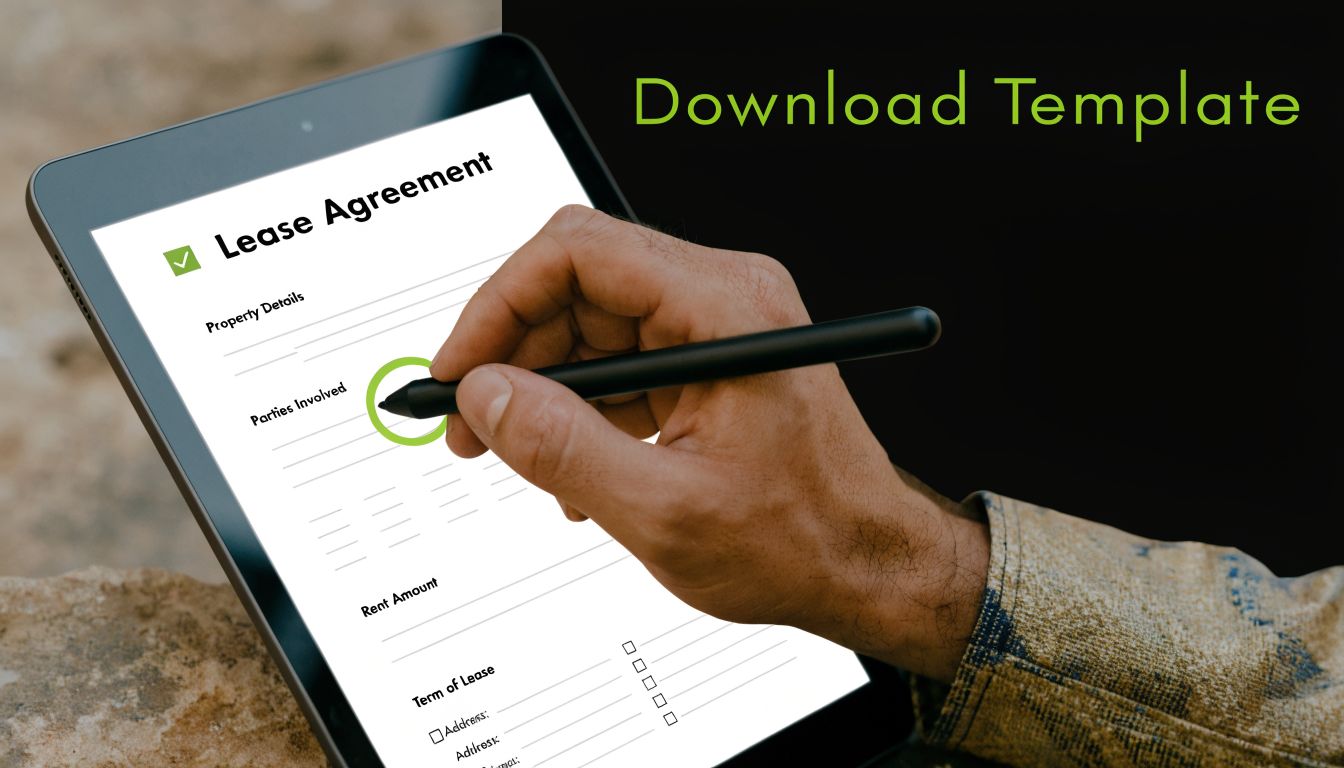
Downloading and Understanding Your Free Template
A free website terms and conditions template is useful when you treat it like a framework, not a finished legal product. The point isn't to download it and publish it unchanged. The point is to start with a workable structure, then edit it to match your site.
Before you change a word, read the full template from top to bottom once. Founders often jump straight to payment clauses or liability language and miss basic definitions, account rules, or update provisions that affect the whole document.
What the main sections actually do
Most templates follow a familiar structure. That's helpful if you know how to read it.
Introduction and acceptance tells users what the document is and when it applies. This section usually states that by using the site, creating an account, or completing a purchase, the user agrees to the terms.
Definitions give precision to recurring words like “Services,” “Website,” “User,” “Content,” or “Account.” These look boring, but they prevent arguments over scope later.
User obligations are the operational core of the document. In this section, you prohibit misuse, unauthorized access, scraping, infringement, fraud, or other conduct you don't want on your platform.
Intellectual property explains that your text, graphics, logos, designs, code, and brand assets belong to the business or its licensors. If users can post material, this section often works together with a separate user content clause.
Disclaimers and limitation of liability are where you narrow expectations and reduce exposure. These clauses matter most when a user claims your site failed, an order was delayed, a tool malfunctioned, or information on the site wasn't enough for their particular situation.
How to read the template like an operator
Don't ask whether the clause “sounds legal.” Ask whether your team could use it during an actual dispute.
If a customer challenges a charge, can your payment language support your position? If someone reposts your photos, does your intellectual property section make ownership clear? If an account holder abuses your platform, does the termination clause give you room to act?
That same practical mindset applies beyond your legal pages. If your website project itself involved outside designers or developers, the business side should line up too. A useful companion resource on defining project scope and payment terms can help founders tighten the contract side of a web build so the site and the underlying service agreement don't contradict each other.
The sections founders should mark up first
Start with these parts on your first review:
- Business identity: Confirm the legal entity name, state of formation, and contact details are correct.
- Site functions: Mark every section that touches accounts, checkout, subscriptions, content uploads, or third-party links.
- Enforcement clauses: Highlight governing law, dispute resolution, and termination.
- Policy references: Make sure the template points to your privacy policy, refund terms, or other policies that exist.
A template saves drafting time. It does not save review time.
That distinction matters. A good template gets you to a decent first draft faster. The protection comes from customization.
Customizing Key Clauses for Your Website
The fastest way to break a website terms and conditions template is to assume every clause applies to every website the same way. It doesn't.
A founder running a bilingual Miami service business needs different language from a startup selling subscriptions nationwide. A creative studio with downloadable assets has different concerns from a marketplace with user listings. The safest approach is to customize by function first, then by industry, then by jurisdiction.
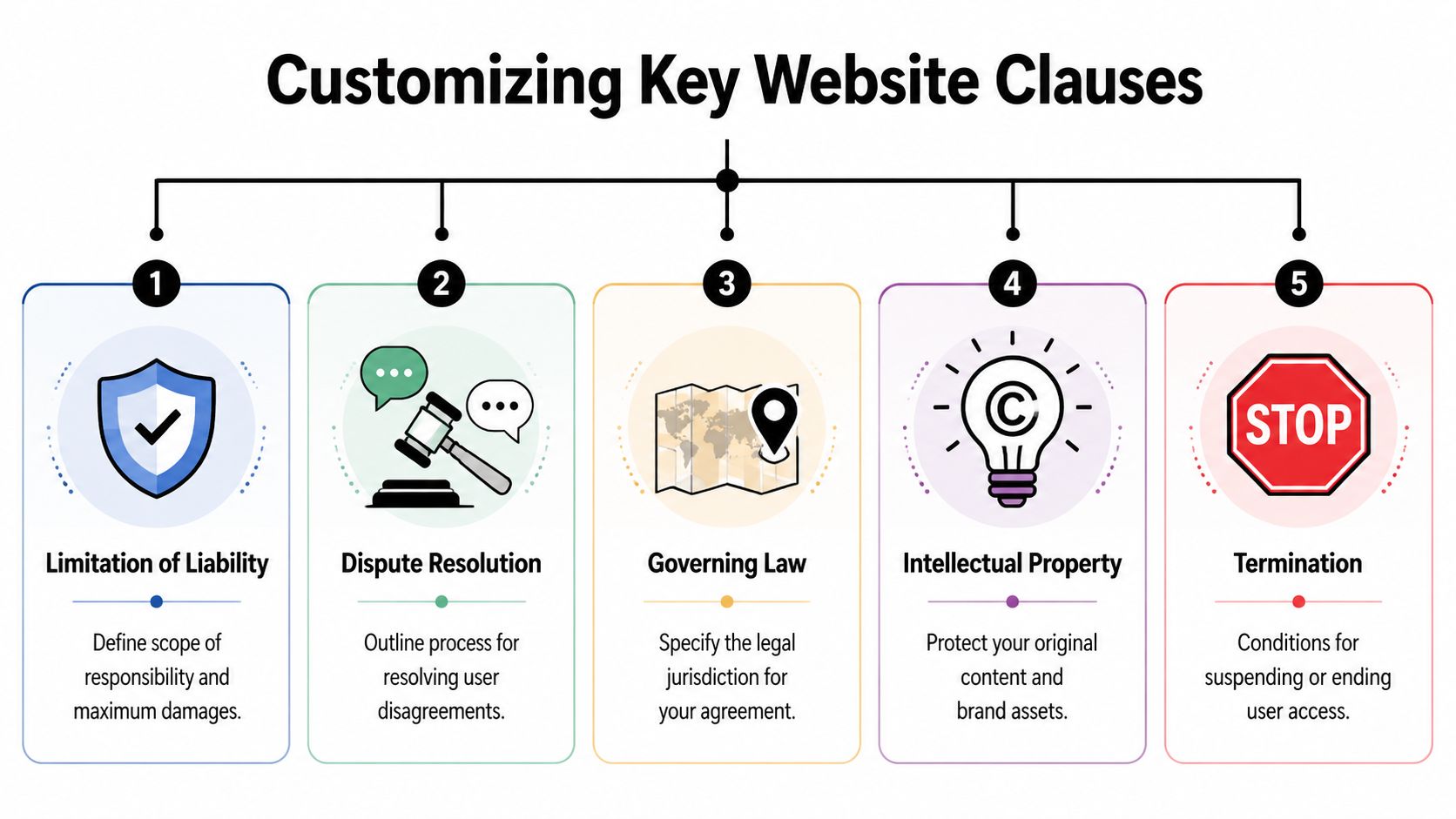
A strong starting point is a simple functional audit. Analysis from Iubenda shows that 92% of generic templates fail compliance tests without site-specific tailoring. That tracks with what we see in practice. Templates usually cover the topics. They often miss the business logic.
Start with a functional audit
Before editing your template, answer these questions about your site:
- Do users create accounts?
- Do you sell physical products?
- Do you sell digital products or subscriptions?
- Can users post reviews, comments, images, or other content?
- Do you offer bookings, consultations, or professional services?
- Do you allow cancellations or refunds?
- Do you link to third-party tools, marketplaces, or payment processors?
- Do minors use the site?
- Do you operate in English only, or in English and Spanish?
- Do you want disputes handled under Florida law?
Your answers tell you where the generic template needs real work.
Five clauses that deserve the most attention
Here's a practical working table you can use while editing.
| Clause | Purpose | Customization Tip |
|---|---|---|
| Intellectual Property | Protects your brand, site content, graphics, copy, and proprietary materials | List the categories of content you own and address whether users may copy, download, repost, or use materials commercially |
| Prohibited Uses | Sets clear conduct rules for visitors and account holders | Don't stay vague. Name conduct you actually want to stop, such as scraping, fraudulent orders, impersonation, abuse of trials, or infringing uploads |
| Payment Terms | Explains billing, timing, subscriptions, renewals, and refunds | Match this to how money actually moves on your site, including recurring charges, failed payments, and cancellation timing |
| Termination | Preserves your right to suspend or close accounts | Give yourself discretion to remove users or content that violates site rules, creates risk, or harms operations |
| Governing Law and Disputes | Tells users which law applies and where disputes are handled | If your business is based in Florida, say so clearly and make sure the clause aligns with your business model and customer base |
Customize by business model
A SaaS company, e-commerce store, and creative service provider shouldn't publish identical terms.
For a SaaS startup, focus on account access, subscription billing, acceptable use, uptime disclaimers, and rights in user-submitted data. If users invite team members or upload files, add language covering account responsibility and content standards.
For an e-commerce business, tighten payment terms, order acceptance, shipping, returns, and product disclaimers. Make clear that an order confirmation isn't always the final word if inventory, pricing, or fraud issues arise.
For a creative or agency business, don't let website terms do all the work. The site terms should protect the website and its content, but client deliverables, revisions, payment schedules, and ownership transfers usually belong in a separate client contract.
If a clause controls revenue, user access, or ownership, don't leave it in generic form.
Before and after thinking
You don't need fancy drafting to improve a template. You need precision.
Generic approach: “Users may not misuse the website.”
That sounds fine until you try to enforce it. What counts as misuse? Scraping? Reverse engineering? Fake reviews? Chargeback abuse? Reposting your course material in a private group?
Better approach: define prohibited conduct in plain English and relate it to your platform's actual risks.
The same problem shows up in intellectual property clauses. A broad statement that “all content is protected” is better than nothing, but it doesn't address practical issues like whether users can download a guide for personal use, whether your videos can be embedded elsewhere, or whether customer testimonials may be reposted by the company.
Use examples from real platforms carefully
Founders sometimes ask whether they should “just use what another site says.” That's risky for two reasons. First, another company's terms may not fit your operations. Second, copying legal text too closely can create its own problems.
A better approach is to review public-facing examples only to understand structure and level of detail. For instance, if you're building analytics features or data rules into your product, looking at standard Trackingplan platform guidelines can help you see how a live platform organizes usage restrictions, service terms, and operational boundaries. Then bring that insight back to your own template and rewrite for your own business.
The clauses founders usually under-edit
These sections deserve a second pass:
- User-generated content: If people can upload anything, decide what rights they keep and what license they grant you.
- Changes to the terms: Reserve the right to update the agreement and describe how notice will work.
- Third-party tools: If your site uses Stripe, Shopify apps, embedded scheduling tools, or outside integrations, say you aren't responsible for third-party services you don't control.
- Language version issues: If you publish in English and Spanish, decide which version governs if a translation conflict appears.
For founders trying to sharpen their contract instincts generally, it also helps to understand the basics of how to write a business contract. Website terms are their own category, but the same drafting habits apply. Clear definitions, realistic obligations, and enforceable remedies beat vague legal-sounding language every time.
Making Your Terms Enforceable in Florida
A well-written document can still fail if you present it badly. That's the implementation side founders often miss.
If your terms sit in a footer and nobody has to affirmatively agree, you may have a harder time enforcing them. If the same terms appear during signup, checkout, or subscription enrollment with a clear statement and an unchecked box, your position is much stronger.
Clickwrap beats browsewrap
Presentation matters. A 2018 9th Circuit ruling in Meyer v. Kalanick helped cement the legal precedent where clickwrap agreements have a 74% enforceability rate in court, compared to 37% for browsewrap agreements.
In plain English, clickwrap means the user takes an affirmative step such as checking a box or clicking “I agree.” Browsewrap usually means the terms exist somewhere on the site, often in the footer, but the user isn't required to actively accept them.
The practical lesson is straightforward. Don't rely on passive notice when active assent is easy to build.
Where to place acceptance language
For most founder-run sites, the best places are predictable:
- At account creation: Add a checkbox next to language stating the user agrees to the terms and privacy policy.
- At checkout: Include agreement language before the final purchase step.
- At subscription signup: Put acceptance next to the start of any recurring billing relationship.
- In the footer: Keep a persistent link there too, even though it shouldn't be your only method.
Put the terms where the legal relationship begins, not just where your designer had extra room.
Florida and bilingual practical points
If your business is based in South Florida, your governing law clause should usually identify Florida law and the forum you want for disputes, assuming that choice fits your business model and customer mix. That won't solve every jurisdiction issue, but it puts a stake in the ground.
Miami businesses also need to think carefully about language. If you market and transact in both English and Spanish, don't casually post a rough translation and assume that's enough. Make sure the Spanish version matches the English version in substance. If one version controls in the event of a conflict, say so clearly. If both versions are intended to be used with customers, treat both as operational documents, not marketing copy.
Enforceability checklist before launch
Use this short checklist before your site goes live:
- Use an unchecked box: Don't pre-check consent boxes.
- Link the full terms: The user should be able to open the document easily before agreeing.
- Keep records: Preserve acceptance logs through your platform or checkout system.
- Match the workflow: The agreement text should correspond to the action being taken, such as signup, purchase, or subscription enrollment.
- Review mobile display: If the checkbox or link disappears on mobile, you have a preventable problem.
A founder's best drafting work loses value if the user never clearly assented to it.
Common Mistakes South Florida Founders Make
Most problems with a website terms and conditions template aren't dramatic. They're ordinary omissions that become expensive at the wrong moment.
The pattern is familiar. A founder uses a decent template, changes the company name, maybe swaps in a contact email, and assumes the job is done. Then a dispute exposes the gaps.

Vague rules that can't be enforced
The biggest drafting failure is vagueness. According to WebsitePolicies data, 73% of small businesses using un-customized templates face enforceability issues, and vague user obligations lead to 55% higher breach rates.
We see this when a site says users may not engage in “improper conduct” or “misuse the platform” without defining what that means. When a bad actor scrapes content, posts infringing material, abuses a free trial, or floods a booking form, the business now has weak language to point back to.
The fix is simple. Name the conduct.
Terms that don't match the business model
A second problem is mismatch. The template says nothing about subscriptions, but the site charges monthly. Or the site allows uploads, and the terms never address user content rights. Or a service business copies e-commerce language that doesn't fit how services are booked, delivered, or refunded.
Those errors usually come from editing the words without auditing the workflow.
Here are mistakes that show up often:
- Missing user content language: If users post reviews, comments, portfolios, or media, the terms need to address ownership, license, and removal rights.
- No privacy policy linkage: If the terms mention data collection but don't connect to the actual privacy policy, the documents feel disconnected and incomplete.
- Weak termination rights: If you can't clearly suspend or remove abusive users, moderation gets harder.
- Bad governing law choices: Some founders leave another state's law in the template because they forgot to replace it.
Broad legal language feels safe until you need to enforce it against specific conduct.
Translation and copy-paste issues
South Florida businesses often serve bilingual audiences. A common mistake is treating the Spanish version as an afterthought. If one version contains stronger limitations, different payment language, or different cancellation terms, you create ambiguity for yourself.
Another issue is piecing together clauses from multiple websites or generators. The result often reads like three different contracts pasted into one page. Definitions don't line up. Refund terms conflict with checkout language. One clause says disputes go to court, another says arbitration. Those internal contradictions are avoidable.
A cleaner way to review your own terms
Before publishing, ask these practical questions:
- Could a customer understand what happens if they cancel, dispute a charge, or violate the rules?
- Could your support team point to one clause and explain it confidently?
- Does each major site feature appear somewhere in the document?
- Do the terms align with what the site promises on sales pages and FAQs?
If the answer to any of those is no, the template still needs work.
When a Template Isn't Enough Your Next Steps
A template is a starting point. Sometimes that's enough to get a simple business off the ground with a solid first draft. Sometimes it isn't close.
You should move beyond DIY terms if your site does more than basic marketing or straightforward sales. The risk goes up when your platform handles recurring subscriptions, user-generated content, sensitive personal information, professional services, custom licensing, marketplace activity, or multi-state operations. The same is true if you're raising capital, entering partnerships, preparing for diligence, or planning for a sale.
Signs you need legal review
If any of these apply, a lawyer should review or draft your terms:
- You collect sensitive data: Health, financial, or other higher-risk personal information needs tighter alignment across your site documents.
- You run a marketplace or community: Multi-sided platforms need more careful treatment of user conduct, takedowns, disputes, and content rights.
- You have recurring billing: Subscription language often needs more precision than generic templates provide.
- You serve customers in multiple languages: Your English and Spanish versions should be consistent and operationally usable.
- You expect investor or buyer scrutiny: Sloppy site terms become part of broader legal cleanup later.
A practical pre-launch legal checklist
Before launching, confirm these items:
- Your legal entity name is correct everywhere.
- Your website terms and conditions template has been customized to match your actual site features.
- Your privacy policy is live and linked properly.
- Your checkout, signup, and subscription flows require clear assent where needed.
- Your refund, cancellation, and account rules align across the site.
- Your governing law and dispute language are intentional.
- Your Spanish-language version, if used, matches the English version.
- Your team knows who updates the terms when the business changes.
Some founders need a full custom draft. Others need a fast review that catches the obvious gaps before launch. Either way, knowing when to stop DIY work is part of running the business well. If you're unsure what that broader legal support looks like, this overview of what does a business attorney do is a useful place to start.
A good template saves time. A good review protects the company.
If you're launching or cleaning up a website and want a practical legal review, Coto & Waddington, Attorneys at Law helps South Florida founders build terms that fit the way their business operates. We work with startups, e-commerce brands, and creative businesses across Miami and Fort Lauderdale, with clear pricing and bilingual support in English and Spanish.